Wednesday, September 28, 2011

Final Evaluation


1. What were your favorite discoveries or exercises on this learning journey?
I think my favorite discovery would have to be zoho writer. I haven't used it yet for anything real, but in the short time I spent on it, I decided it was better than GoogleDocs, which was possibly my favorite thing I ever learned about. I also love Pinterest. I think it may become my new favorite procrastination tool. 

2. How has this program assisted or affected your lifelong learning goals?
I think that it has helped reinforce my knowledge of some of the online tools I already knew about, and, more importantly, given me lots of ideas about how I can use them in the classroom.

3. Were there any take-a-ways or unexpected outcomes from this program that surprised you?
I've enjoyed getting some real experience with blogging. I didn't really think that I would. I've tried it before, but it always fizzled out quickly. I'm not sure that I'll keep this particular blog up, but I think I could do it now if I had a good reason (like my own class or a mission trip). 


4. What could I do differently to improve upon this program’s format or concept?
The only problem I had during this project was that some of the links in your instruction blog didn't work, especially on the Web 2.0 thing. 

Thing 16: PhotoPeach


Here is a short slide show I made on PhotoPeach. It is a family reunion I went to, but the pictures are mostly my adorable cousins looking for easter eggs, my adorable cousins in flowers, and people playing with my adorable cousins. Oh, and some other people too. Enjoy!
It would be really neat to use this in the classroom. Have the students make a slideshow, either about themselves, or maybe a historical figure, and then have a gallery walk around the computer lab to look at everyone's creations. 

Thing 15.5: Twitter

So I had to finally break down and make a twitter account... I have resisted the twitter movement for quite some time. I'm not sure what I didn't like about it exactly. Maybe just the whole celebrity aspect of it. But.. there are some good uses. I've started following some of the people that I mentioned I watch on YouTube and some authors I like, and it's interesting to see what they have to say. I'm not big on updating the world on my life, I don't even post statuses on my Facebook, but I like seeing other people's. If I could consistently use it, I could see how this could be a good way to communicate with parents or even students. They don't have so much access to your life like they do on Facebook, and I like the @ feature to ask questions. 

Thing 15: Things like Skype

I think Skype is a wonderful tool. My dad travels for work some, and while he was in Canada this summer, my mom and I used it to talk to him. I really like the idea of using it in the classroom too. I like the article from The Learning Librarian about how her class used Skype to talk with a class at another school. It would be great for students to interact with another class and see what it's like to go to school in another state, or even another country.

Thing 14: Podcasting and Bookmarking

Today I got to look a little at podcasts. I've spent a little time with them before. I even watched a psychology class or two in iTunes U a while back. I didn't realize, though, that there were podcasts for teachers as well as students in iTunes U. I found POWER ON TEXAS: The Digital Learning Revolution. It had some very interesting videos on integrating technology in your classroom.

Pinterest Logo
I also explored some bookmarking sites. I looked around a little on Delicious. I like it and if I hadn't already discovered Pinterest, I think I would love it. They just revamped the appearance of the site to be a little prettier, but Pinterest is just beautiful. I've only had an account a couple of days and I'm already addicted. It's just that good.

Saturday, September 24, 2011

Things 12 and 13: Youtube

I'm already a big fan of YouTube, so getting to do a thing on it is fun. I got into the site this summer when I discovered the vlogbrothers, two brothers who post weekly video blogs, or vlogs. They have started a giant community of people, who watch and make videos, they have a record company that produces music exclusively from YouTube based artists, and orchestrate huge YouTube events. Since then, I've found lots of other channels I enjoy. The video below, was actually shown to me in a class just a couple weeks ago. It's a great speech by Sir Ken Robinson about how schools kill creativity. If you like it, click here for another speech of his turned into a clever animation. 


I've also used YouTube as a classroom resource. I've created videos from clips of other people videos to make a short intro video for several different subjects. Below is one I made about plant life stages. 

Tuesday, September 20, 2011

Thing 11: Web 2.0 Tools

GoAnimate.com: Go Animate by l_rigsby

Like it? Create your own at GoAnimate.com. It's free and fun!

Best of OMM Poster

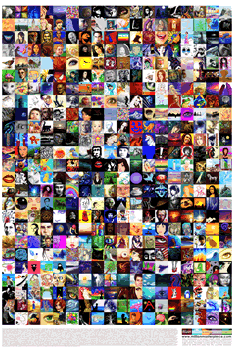
I also tried out some other web 2.0 tools. To the left is a picture from The One Million Masterpiece. It gives you a small canvas to draw whatever you like, then your image is included in the world drawing.


avatarTo the right is an avatar I made on DoppleMe. It is a simple avatar generator, and I think it would be fun for students to create an avatar for themselves for a class website. If I had a class wiki, each student could include their avatar on their own page.

Thing 10: Online Productivity Tools

Zoho Writer Home

I mentioned in my last post that I really love Google Docs. I like, most of all, that I can edit things at the same time as other people, which makes it great for group work. I've never heard of Zoho Writer until today, but I think it might be even better. It seems to have many of the same features as Google docs, but so much more. You can customize the look of your documents quite a bit easier, and you have access to many more applications than on Google. I also played around a bit with the presentation application and it was much better than the Google version. You can add shapes and clip art and all kinds of things to make really professional looking presentations.

Thing 9: Playing with Wikis

As I mentioned in my previous post, I really like the idea of having a classroom wiki. In the technology poppers wiki I went to today, my college class has created a page that has ideas for short technology "poppers." I like how it has the collaborative aspects of Google Docs (which I love, by the way), but it's easier to access. I feel like I could make one for each class I'm taking, and the class could all pitch in to make a collection of notes and study materials for each class.

Thing 8: Wikis


As a child of technology, I have have plenty of exposure to wikis. Particularly Wikipedia. I've experienced countless warnings from teachers about the dangers of the user-edited content on these sites, and have often ignored it, as Wikipedia is often the first place I turn when I need to know something quickly. I've also spent a little time on other, smaller wikis like the wiki for the TV show Heroes. All that being said, I've learned some interesting things about wikis today. I found the wiki for St. Joseph County Public Library's Subject Guides. I've never thought about how a library could use this technology, but seeing it there made so much sense. You can basically browse the library, by section, and find what ever book you want. Clicking on the book takes you to the library website, where it looks the book up for you in their system. I also went to a great wiki for a classroom. Here the class post all kinds of work that they create. It would be a great way to get you parents involved and interested in what is going on in the class. 

Sunday, September 18, 2011

Thing 7: Image Generators

So, today I got to look at some really neat image generators. Above you see a word cloud I made from this blog with Wordle. Like Dr. Wilson suggested, I think this could be a great resource to help students understand the main ideas of something they are reading. It organizes information in such a visually appealing way, that I think students would be eager to use it. Plus there are a lot of ways to edit the appearance, so students can make it their own.

Next, I tried out Animoto. Above is a video I made with a couple of pictures from a mission trip I went on this summer in Panama. I have never used this website before, but I think it's wonderful. I think it could be a great website for students to use for class projects or presentations. It made me a little sad that I could only make a 30 second video for free, but it could be good to put that limit on student videos anyways.

Thing 6: RSS and Newsreaders

I've wondered for a long time about what RSS feeds are. Now I know! I like how you can get all the blogs you follow right on one page. I don't read that many blogs regularly, but I feel like I could with this tool. The only problem with it is that I don't feel like I would go to my Bloglines page often. I guess I could learn, though. For my account, I tried following a few educational blogs, a couple about books, and a couple crafts and photography blogs. I really do like having it all on that one page, so I think I might have to try to integrate this into my normal online routine. 
Click the picture to go to my Blogline

Saturday, September 10, 2011

Thing 5: Flickr Mashups

I like this MyPicsMap application. Flickr lets you map your photos right on their website, but I liked that this site let me put this interactive map right in my blog. All I had to do was put in my username, and it did the rest.  If you click on one of the pictures, it should show others from that location also.

Thing 4: Flickr

I love using flickr. It has been in my Google Chrome bookmark bar for a while and it was one of the websites that got me into photography in the first place. I'm in several groups (mostly to get other people to look at my pictures), but I'm most active in one for users of another great website, Picnik. I haven't been on it in a while, but it has always had really fun competitions where we let the other users edit and post our pictures to find the best edits. Here is one I edited to include the lyrics from "We Go Together" from Grease.

Thing 3: Photos and Images

Shine Through by Liz Victorious
I occasionally dabble in photography. Here are a couple of my favorites, both taken at our wonderful city beach. 

Thing 2: Blogging


Thing 2
I've played around with blogging a little before, not that any of my blogs lasted more than about 4 posts. I even had a LiveJournal way back when, so this wasn't a really new experience for me. I also have a small blog for a mission trip I recently went on that was really more of a fundraising website. I was most surprised, while making this blog, by the amount of customization that blogger allows. I've used it once before, but I didn't know about using templates other than the ones blogger gives you. I was always kind of disappointed by the choices it gave me so it was nice to find so many others I could use.
I don't really read any other blogs on a regular basis, but I am an avid user of StumbleUpon and I read blogs from time to time that I find on there. I love to make crafts and I have found all kinds of great ideas from other blogs.

Tuesday, August 30, 2011

Thing 1: Lifelong Learning

Hello, and welcome to my new blog! I will be recording my journey through Dr. Wilson's 16 Things on here and I hope you enjoy the ride. :)


Thing 1
I really like the idea of lifelong learning. It's not as if our brains were made to learn the first 20 or so years of our lives and then shut off. We should constantly be expanding our knowledge and skills so that we know more today than we did yesterday. Today I read the 7&1/2 Habits of Highly Successful Lifelong Learners. Simply put the habits are:

Habit 1: Begin with the end in mind
Habit 2: Accept responsibility for your own learning
Habit 3: View problems as challenges
Habit 4: Have confidence in yourself as a competent, effective learner
Habit 5: Create your own learning toolbox
Habit 6: Use technology to your advantage
Habit 7: Teach/mentor others
Habit 7 ½: Play
I value being a lifelong learner quite a bit, and even before reading this, I have worked to include some of these aspects in my own life. I think that I have been most successful at habit number 2: Accept responsibility for your own learning. I am not really satisfied with only knowing what the teachers tell me, and I like to strike out on my own a bit and learn some things for my self. This summer, for instance, I was bored one day and decided to find an online book about computer programming, something I've been curious about for a while, and try it a little. Now, computer programming is not exactly my idea of an exciting night in, so it didn't last too long, but this has been a habit of mine for a while now.  
On a related note, I love to use technology for my own learning, so habit 6, using technology to your advantage, is another strong point of mine. In fact, when I want to learn something, whether it's a new skill, like computer programming, or a new piano song, the internet is almost always the first place I turn. I also try to find ways to use my computer to help organize things like my class notes and assignments, and it typically makes my work much more interesting to me. 
I think the habit that is probably hardest for me is number 4: view problems as challenges. I've been blessed with what I would call a pretty good life, but every life has it problems. I think that while I'm in the middle of a problem I tend to forget to see it challenge that can bring good. I'm pretty good at recognizing that afterwards, so I still get to learn some of the lessons from that situation, but I might be better off if I could see that sooner. 
Here is my learning contract that I made as part of the 7&1/2 Habits program: